Second Brain
Sentisum — May 2025
My Role
Design Lead — Product Strategy · Experience Design · Conversational Interface · Rapid Prototyping · Client Feedback Integration
Team
John Silvan, Engineering Manager
Snigdha Jain, PM
Nitesh Singh, Front End
Timeline & Status
2 months, Launched in July 2025
Website
Overview
SentiSum helps companies understand why customer sentiment shifts across support tickets, chats, emails, calls, and surveys. But many users struggled to interpret insights on their own, often relying on SentiSum’s team to explain their data back to them.
I led the redesign of the insight experience, shifting from dashboards to a conversational model that provides clear, explainable answers to natural-language questions.
The result made insights accessible to non-analysts, reduced interpretation time, and enabled teams to act confidently without external support. The redesigned experience was delivered for a closed-door enterprise demo in June and became the direction for SentiSum moving forward.

HIGHLIGHTS
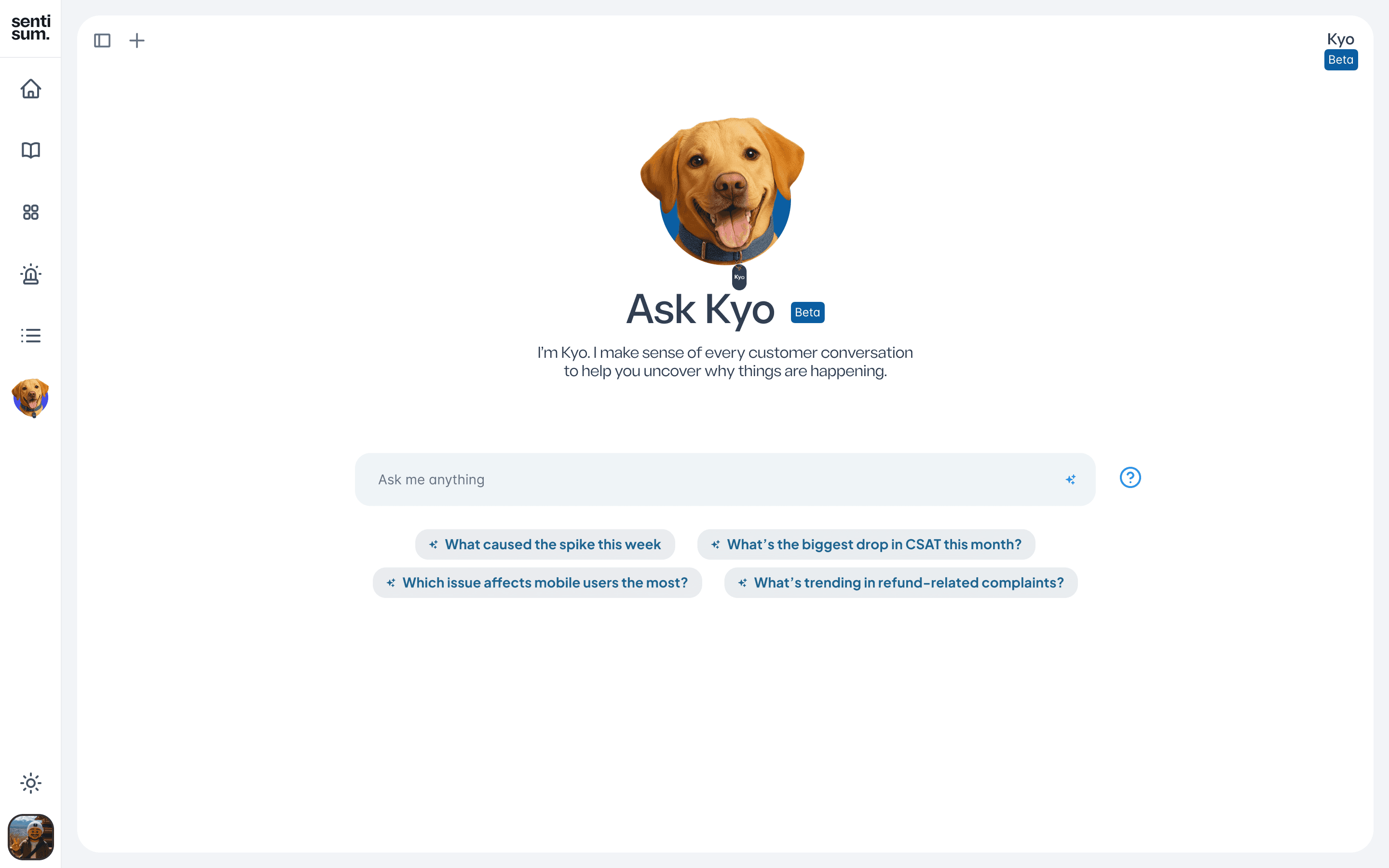
0.1
Conversation UI Interaction
VIDEO LOOP
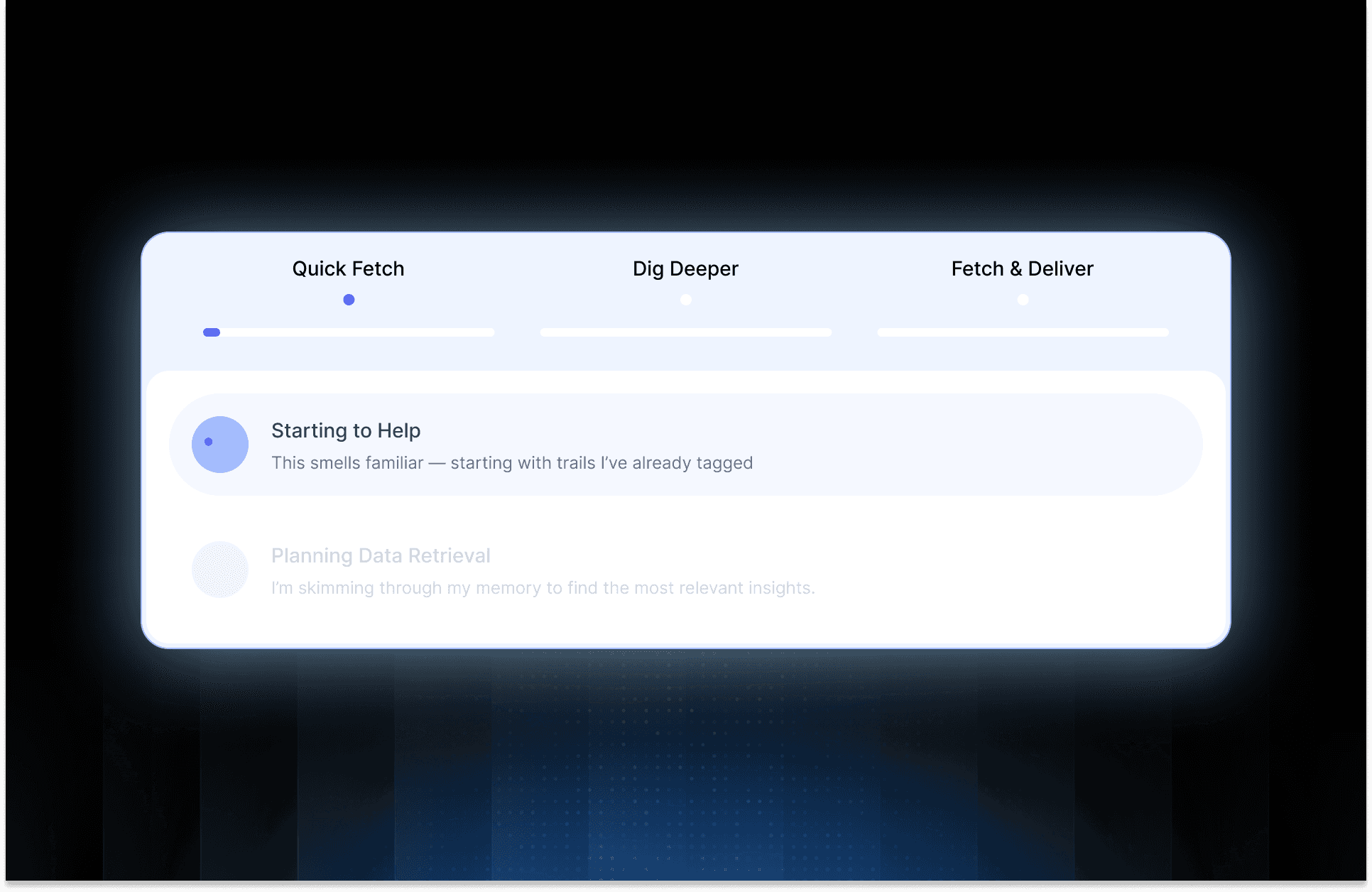
0.2
Thinking Process UI
VIDEO LOOP
CONTEXT
What Existed Before
What Existed Before
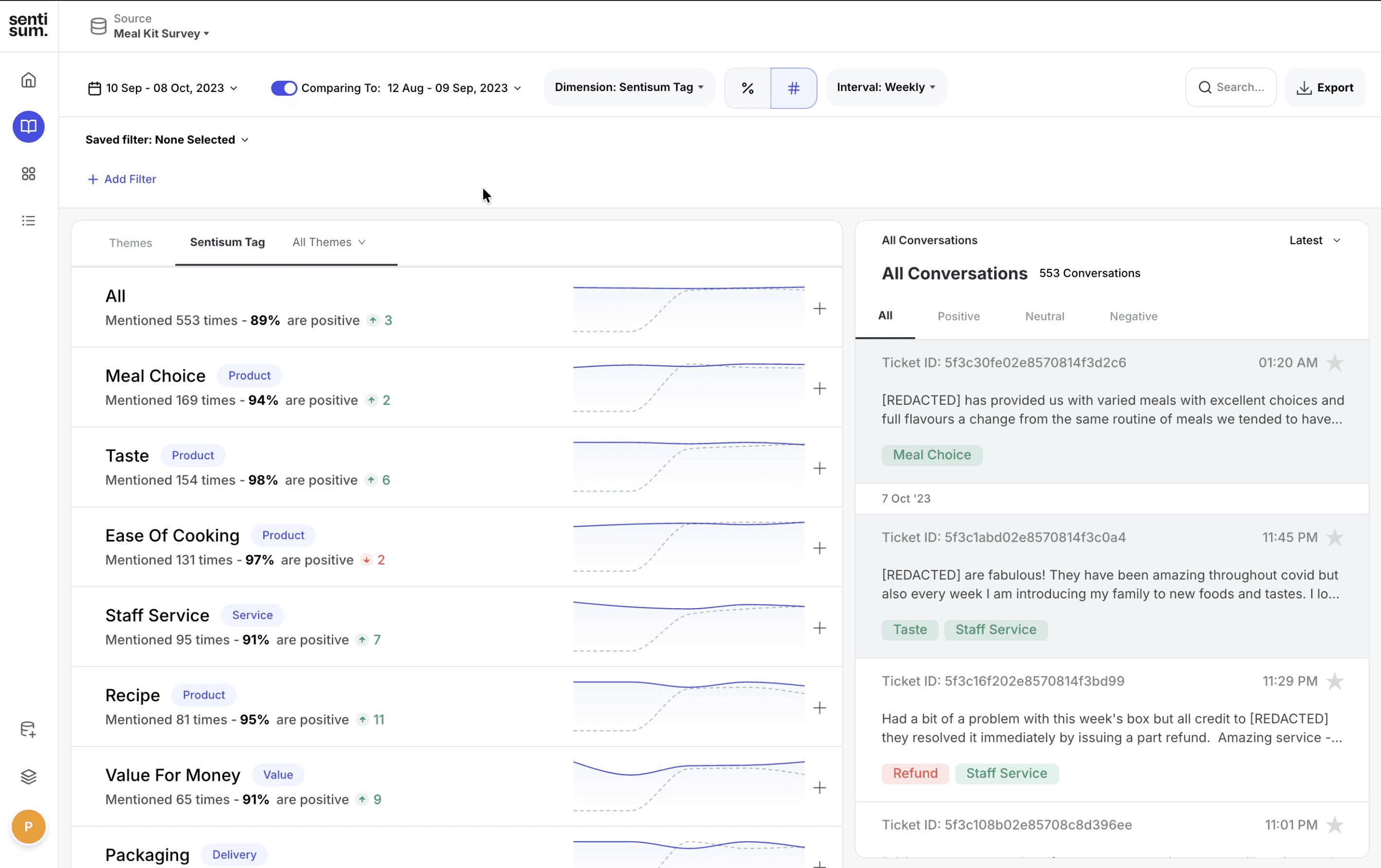
SentiSum provided standard analytics capabilities:
Source switching (NPS, CSAT, email, chat, calls)
Trend charts and theme grouping
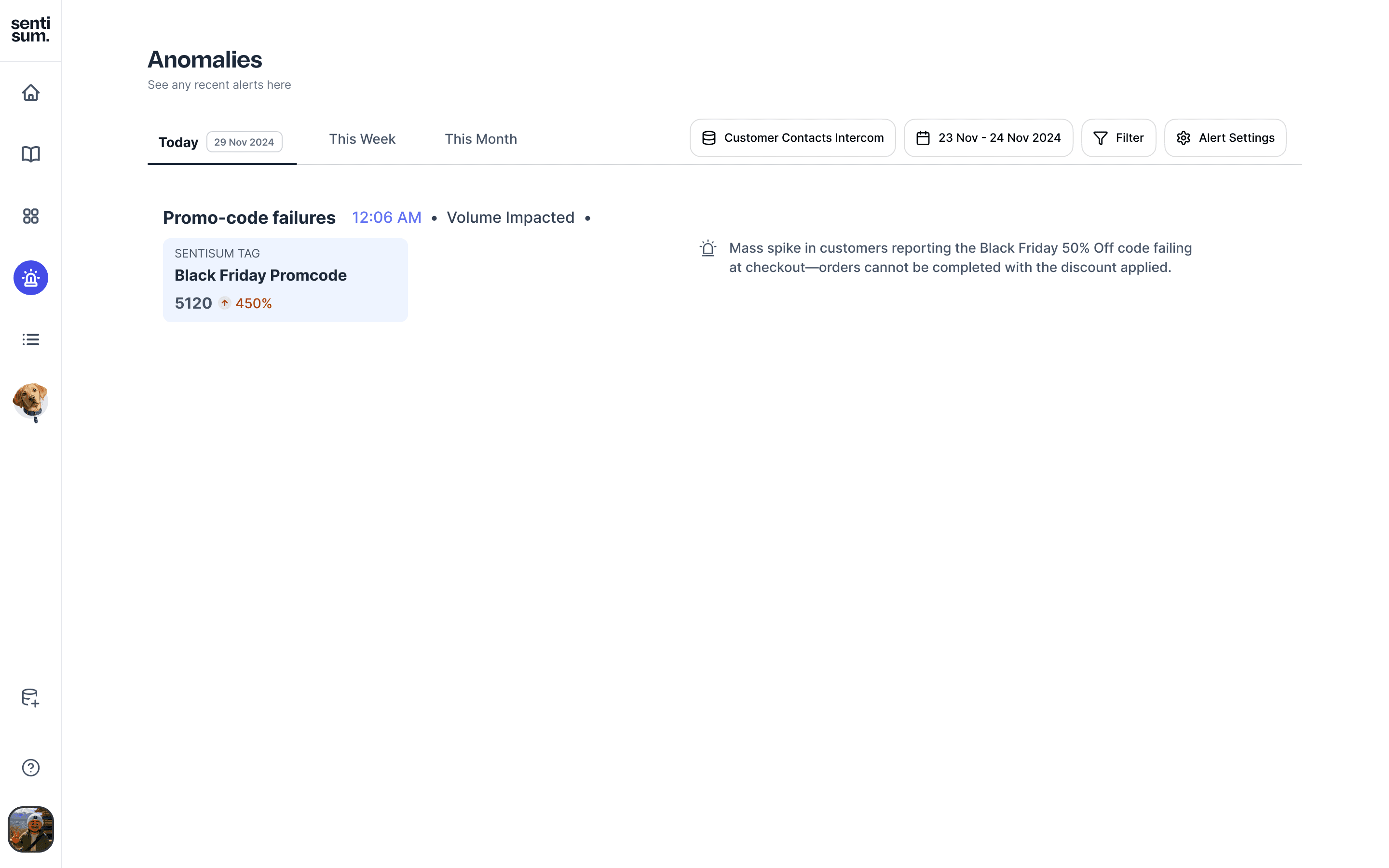
Manual alert rules
Exportable reports
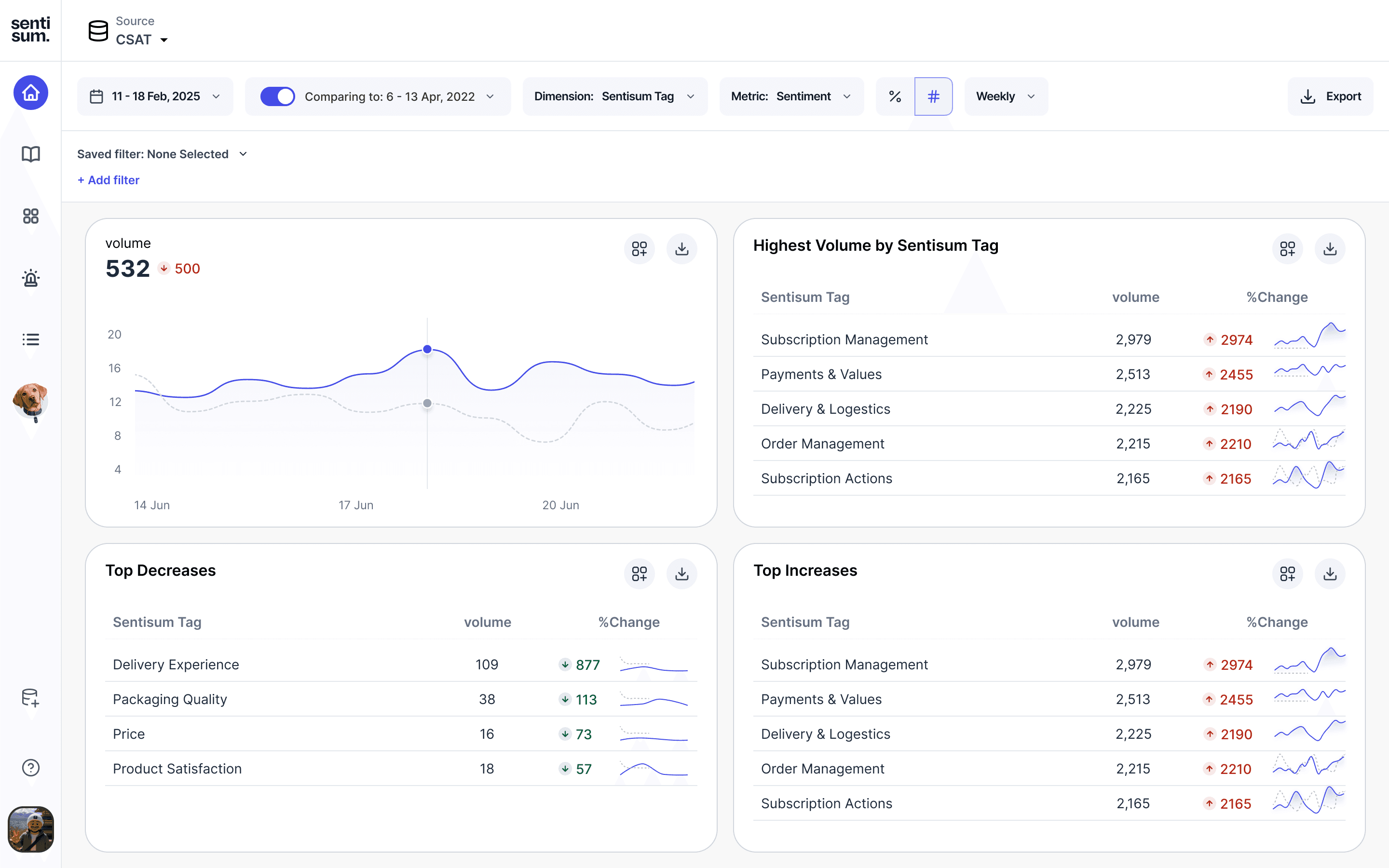
1.0
Source Switching
VIDEO LOOP
1.1
Manual Alerts
VIDEO LOOP

KEY DISCOVERY
The product showed what was happening, but not why,
forcing users to interpret insights manually.
The Problem
Seeing signals wasn’t the same as understanding them.
Seeing signals wasn’t the same as understanding them.
A pile-up of constraints.
The expected behavior was that teams would use SentiSum to identify what was driving customer dissatisfaction and take action.
However, in practice, users were reaching out to SentiSum’s own CX team to interpret their data for them, analyze trends, and present findings back to them.
This meant the product was not delivering its core value on its own.
It became clear the experience needed to adapt to how users now prefer to understand information through conversational, guided explanation, not dashboards.
The expected behavior was that teams would use SentiSum to identify what was driving customer dissatisfaction and take action.
However, in practice, users were reaching out to SentiSum’s own CX team to interpret their data for them, analyze trends, and present findings back to them.
This meant the product was not delivering its core value on its own.
It became clear the experience needed to adapt to how users now prefer to understand information through conversational, guided explanation, not dashboards.

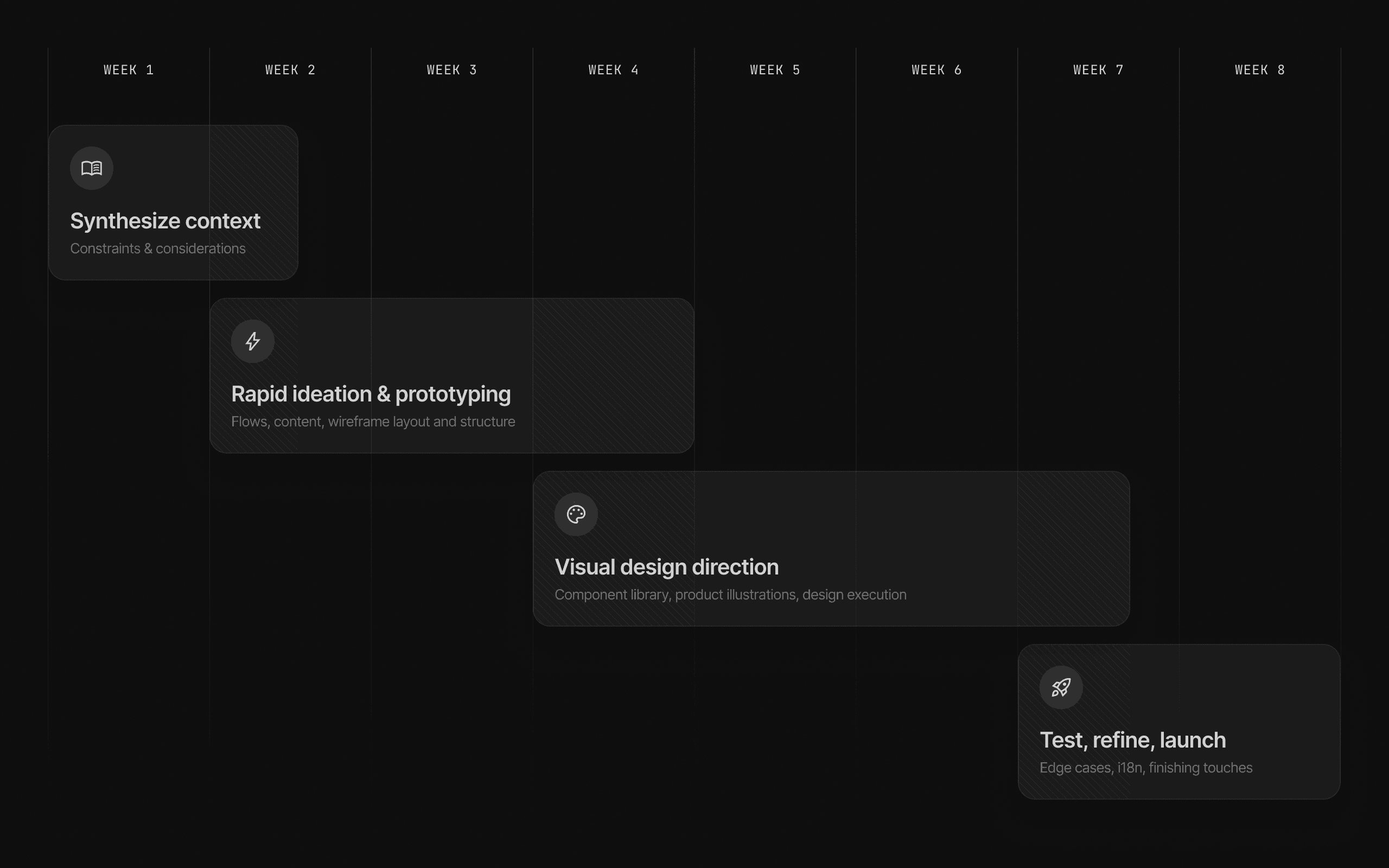
Two-month deadline
We needed a validated, working experience ready for the end-of-June closed-door customer demo.

Insights spread across sources
Root causes were split between NPS, CSAT, email, chat, and call channels.

High interpretation effort
Users had to infer meaning from trends, themes, and verbatims manually.
Not designed for non-analysts
CX and Ops teams needed answers but the product required analytical skill to operate effectively.
Alerts required prior knowledge
You can’t set an alert for a problem you haven’t discovered yet.

Critical
We needed to move from showing data to explaining it,
and we needed that fast
North Star design principles

Clarity Over Complexity
Insights should be instantly understandable.

Evidence Builds Trust
Every answer must be backed by real data.

Ask, Don’t Assemble
Users should get answers by asking questions not by constructing filters or navigating dashboards.
Timeline
2.0
image description
VIDEO LOOP
RESEARCH & FINDINGS
The backbone of the project.
The backbone of the project.
You gotta start somewhere.
Before exploring new interactions, I needed to understand how users were actually working with SentiSum. So I spent time with Support, CX, and Ops teams across multiple accounts, reviewing real workflows and weekly reporting rituals.
What we learned wasn’t about missing features
it was about missing interpretation.
Teams weren’t struggling to access data they were struggling to connect it.
We asked users to use the product as they normally would and to verbalize their thoughts throughout the process.
While the product made it clear what was happening, users struggled to understand why.
They couldn’t confidently articulate why a trend changed.
Most conclusions required analytical reasoning outside the product.
Insight conversations were happening in Slack and PowerPoint, not in SentiSum.
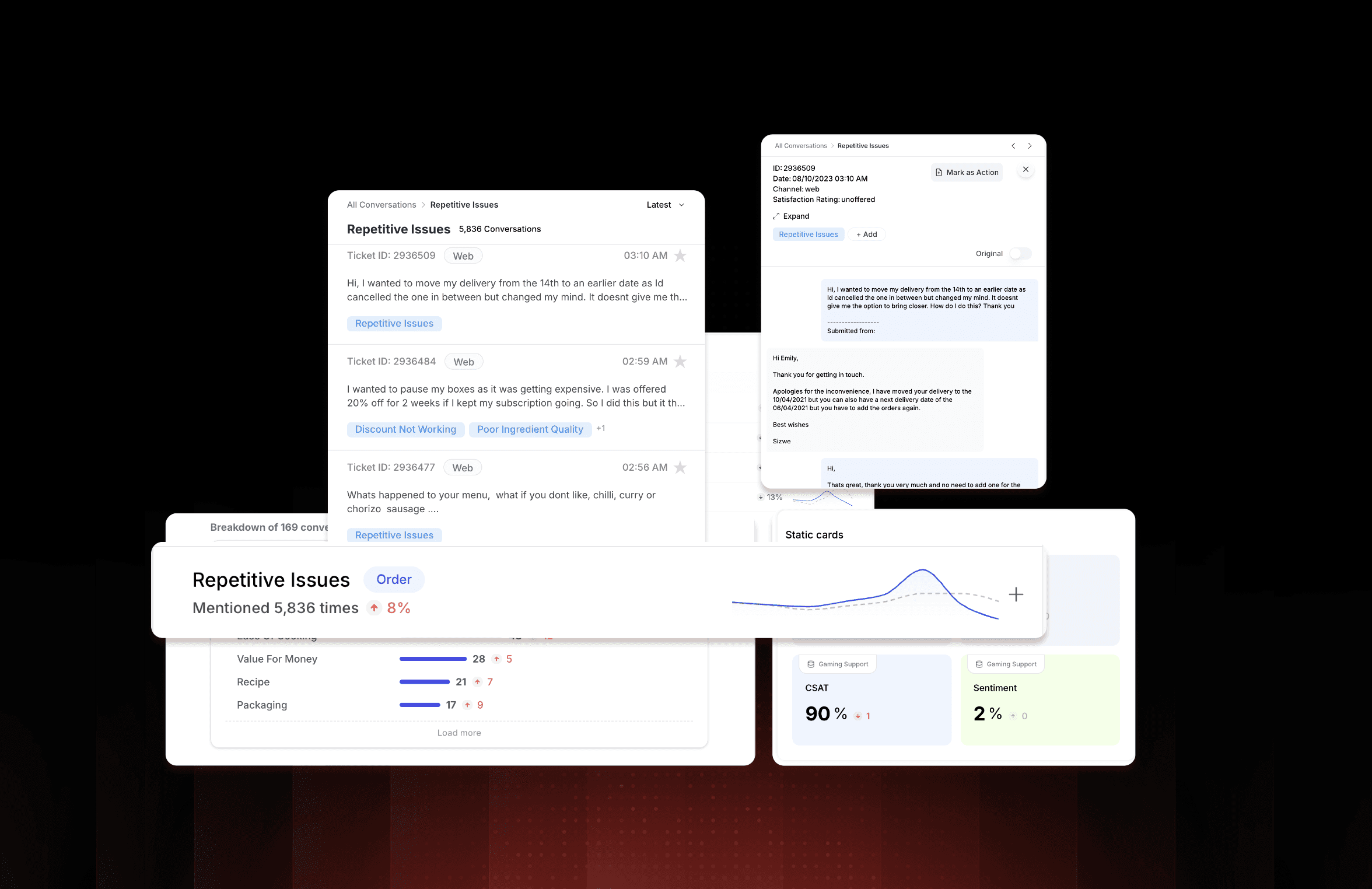
Meaning was trapped in verbatim feedback.
The real signal lived inside:
Call transcripts
Support chats
Survey free-text comments
Users were expected to:
Interpret charts
Understand clusters
Navigate like analysts
Extracting Insight was
Slow
Cognitive-heavy
Inconsistent across users
3.0
Cognitive load
VIDEO LOOP
Decision-making was happening outside the product.
We constantly saw this pattern:
Export a chart
Upoad to GPT
Write a narrative from there
Present to leadership
Key Discovery
Users didn’t want more dashboards.
They wanted clear, confident, explainable answers.
DESIGN GOALS & SUCCESS CRITERIA
A clear direction forward.
A clear direction forward.
From browsing data to understanding data.
After synthesizing user behavior, workflows, and constraints, one thing became clear:
Improving dashboards wasn’t enough.
We needed to shift from data browsing to guided understanding.
These goals became the backbone of the redesign:
Explainable insights
Show why something changed, not just what changed.
Faster interpretation
Reduce the time from data → decision dramatically.
Accessible to non-analysts
No analyst-level mental models required to use the product effectively.
Conversational understanding
Let users ask questions in plain language and actually get answers.
Confidence in action
Users should be able to justify a decision without exporting a single chart.
Success Criteria
These are the signals we used to measure whether the redesign was working:
Understand a sentiment shift without switching between sources.
Explain root cause to a stakeholder in under 60 seconds.
Ask questions like "What changed this week?" and get a direct answer.
Take action within the product, not in Slack, PowerPoint, or Sheets.
Use the product confidently without support from the SentiSum CX team.
Core Theme
We weren’t just redesigning UI. We were redefining how insight is delivered: from showing data to guided understanding.
DESIGN DIRECTION
A conversational approach to understanding sentiment.
A conversational approach to understanding sentiment.
Instead of making users browse charts, we let them ask questions.
To support non-analyst users, we needed a model that matched how people naturally think and communicate.
Dashboards required interpretation, cross-referencing, and storytelling.
But conversations allow users to simply ask:
“What changed this week?”
“Why are customers frustrated about onboarding?”
“Show me the top drivers impacting NPS.”
KEY DISCOVERY
If a user can explain it, they can act on it.
So the product must explain first.
INTERACTION MODEL
The shift from navigation to narration.
The shift from navigation to narration.
Meaning Over Metrics
Previously, users had to browse data, compare charts, infer reasoning, and create a narrative before taking action.
Now, users ask a question and receive a clear, guided, explainable narrative, ready to act or share.
The core Design Pattern
Navigating visual layers → Asking questions and getting clear, explainable answers.
Old Behaviour
6.0
Old Interaction
VIDEO LOOP
Browse dashboards
Interpret charts manually
Build slides to communicate impact
New Behaviour
6.1
New Interaction
VIDEO LOOP
Ask natural questions
Receive guided, explainable insight
Get ready-to-share narratives instantly
Designing Trust During Processing
Because Kyo analyzes millions of conversations, generating an answer can take 5–8 minutes.
Silence creates uncertainty — so the interface shows what Kyo is doing in real time.
When users can see how the system is reasoning, they trust the answer before the answer arrives.
What data sources it’s reading
What patterns it’s comparing
Which drivers it’s evaluating next
LAYOUT & INFORMATION ARCHITECTURE
A layout built for clarity and conversational understanding.
A layout built for clarity and conversational understanding.
From raw data to guided narratives.
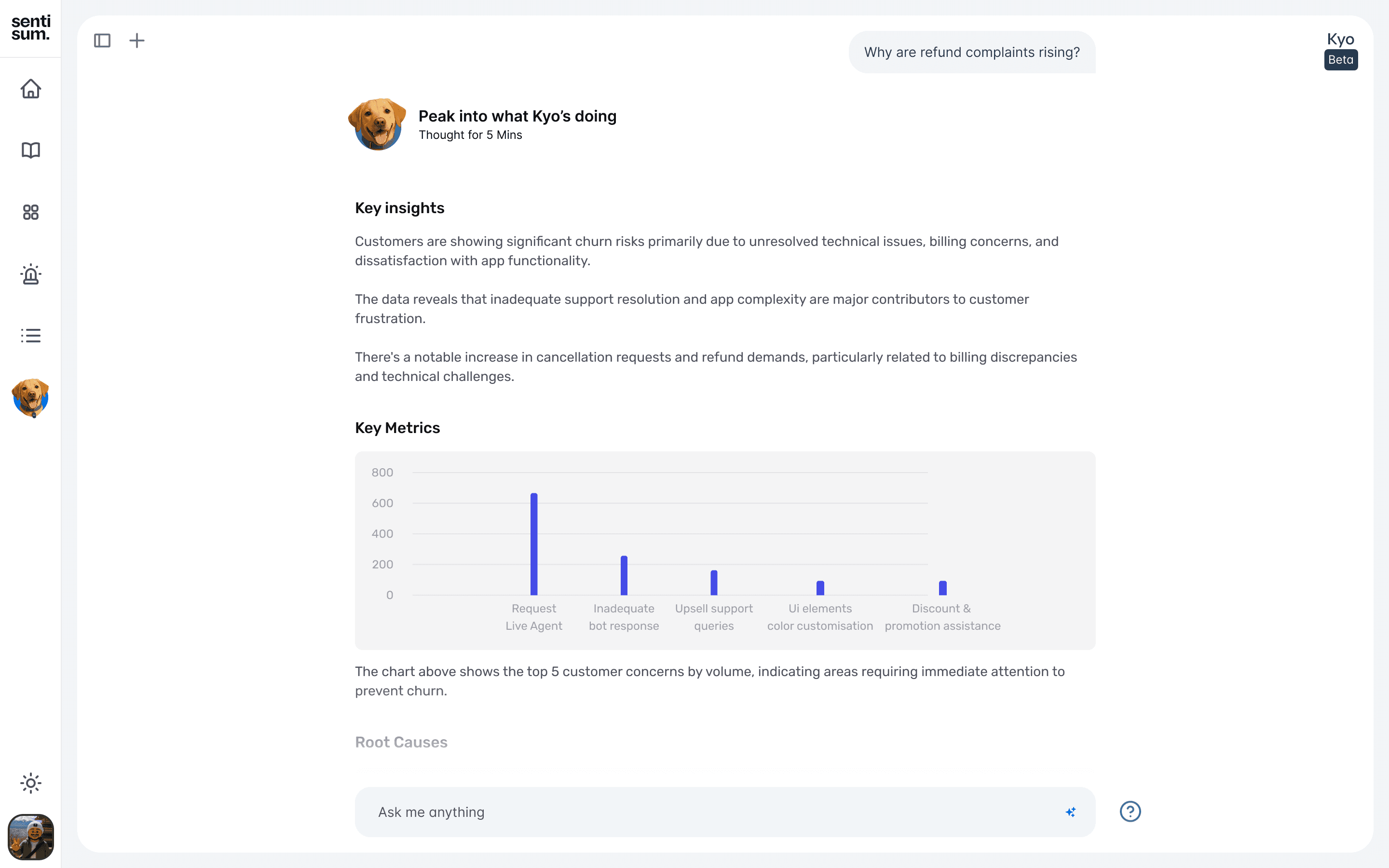
We prioritized clarity and narrative flow. Users first see the explanation the “why”.
Supporting charts, data sources, and verbatim examples sit behind light-weight, expandable layers.
This allows non-analysts to act confidently, while analysts still retain full depth when needed.
7.1
Data Layout
VIDEO LOOP
Damn
Still Reading?
I’d be thrilled to share more about my design process, challenges, and outcomes.
Reach out to me, and I’d be happy to walk you through the projects in detail! 😊
Back
Not Optimised for phone
: )